

Turns your PowerPoint presentations into various popular video formats such as ASF, 3GP, FLV, MKV, AVI, MOV, RM, MPEG, VOB, MP4, etc. It also extracts the audio from PPT files and saves it into the MP3, RA, MKA, WAV, WMA, AAC, AC3 or M4A formats. Includes batch conversion capabilities.
Leawo PowerPoint to FLV Converter allows users to convert their PowerPoint presentations into various video formats. This tool can be very useful, if you don’t have an opportunity to use Microsoft Power Point or you want to share your presentation on some video sharing web sites. Besides, when you have your presentation converted into the required video format, you can record it on CD or DVD and watch it not only on computer, but on DVD players as well. You can also copy converted presentation to any portable device which supports flv, 3gp, mov and mp4 video formats.
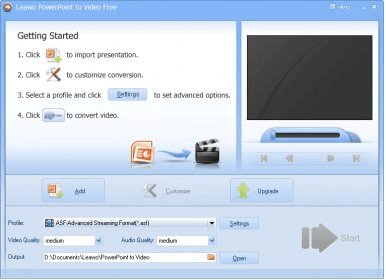
When you have launched the application you click on the ‘add' button and select the presentations to be converted. Then you can customize conversion by setting transition time between slides and adding some audio track. If presentation already includes some music, you can make the program ignore it. Within the settings inlay you can adjust such video and audio settings as quality, bit rate, sample rate, codec and others. You can change the output directory or use the automatically created folder. Files converted with the trial version of the product will have company name’s watermark. The program is provided in several languages: they are English, German, French, Italian, Chinese and Japanese.






Comments